Workplace Technology / Meeting-room refresh

The people dialling in now have the better meeting.

Each person at home gets their own video tile. The people in the room share one: eight heads in the space of a single face. We design rooms for everyone in the meeting, then support them for the life of the equipment.

Ask about a room fleet audit
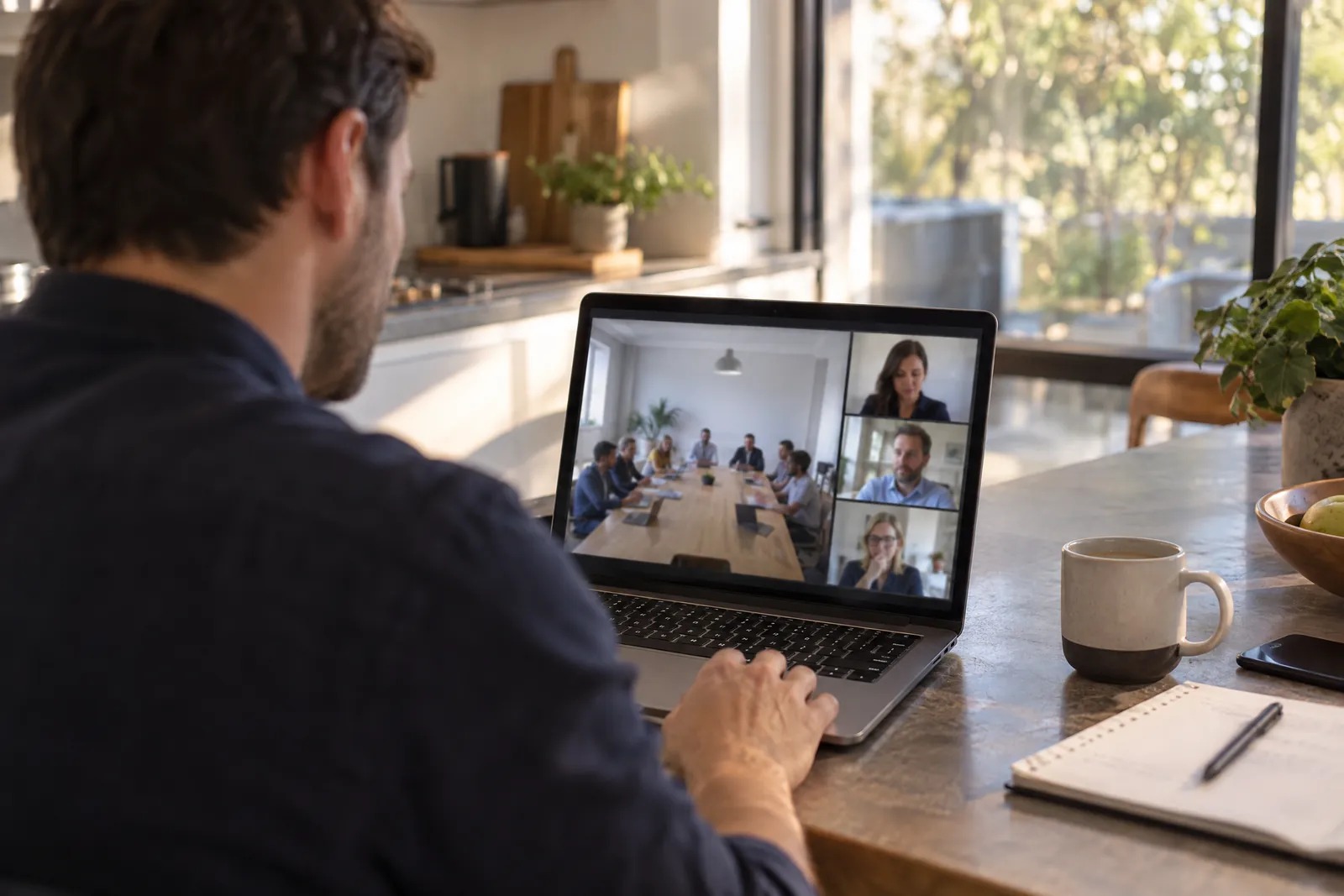
A man working from home sees a whole meeting room squeezed into one small video tile, beside large tiles of single remote faces. Illustrative image.

Each person at the table can get their own tile too.

A single wide camera puts the whole table into one tile. Microsoft's IntelliFrame can give remote attendees a closer view of the people in the room, including whoever is speaking. It needs a supported camera, Teams Rooms on Windows and a Teams Rooms Pro licence. With most of those cameras, it only switches on when nine or fewer people are in the room. We check each room before we recommend it.


What prompts a refresh

The devices stopped getting updates.

The room can keep working, but without new features or security fixes. Check each model against its maker's support dates.

Two people walk through a new office floor during fit-out and look into a meeting room still wrapped in plastic. Illustrative image.

You're moving office.

A move is a common time to fit out rooms. Plan them with the fit-out, including who looks after them once you've moved in.

People avoid some rooms.

Low use can point to the wrong room size, poor sound or a camera that crops people out. Utilisation data shows which rooms; a walk through them shows why.

Behind the camera

A refresh covers every layer the room runs on.

A new camera won't help if the call drops at the firewall or the room calendar stops updating. We set up the network, firewall and Microsoft 365 settings along with the devices, and if something goes wrong in any layer, we don't hand it back to you.

The meeting room as its own camera sees it: six colleagues around the table, one of them speaking. Illustrative image.
What the far end sees
  1. PeopleWho books the room, who joins from home, and who they call when it fails.We train them, and they call us.
  2. The roomIts size, layout and acoustics decide what the far end sees and hears.We review each space before choosing anything for it.
  3. DevicesCamera, microphones, display and the touch panel on the table.Supplied, installed and set up for Microsoft Teams Rooms.
  4. Network and firewallThe room is one more device on your network, behind your firewall.Configured for the room's calls and updates.
  5. InternetVideo needs a steady connection out of the building.We check it's steady enough for video when we design the room.
  6. Microsoft 365 tenantRoom accounts, calendars and Teams settings live here.When the room calendar stops updating, we sort that out too.
Supported for the life of the equipment

How a refresh runs

  1. Review the space

    Size, acoustics, the equipment already there and how people use the room.

  2. Design for it

    A room designed for the people at the table and the people dialling in.

  3. Install and configure

    Devices installed, with the network, firewall and Microsoft 365 settings configured alongside them.

  4. Support it

    A managed service to keep the room running, and training as your team changes.

A network engineer checks a laptop between equipment racks. Illustrative image.

The room fleet audit

What you get
We look at every room on your list, the equipment in it and how it's used, across your sites. You find out which rooms to keep as they are, which to change and which to replace.
What it costs
The audit has a base price, adjusted for the number of sites and how complex they are. We confirm the price with you before it starts.
What happens next
Send us your sites and a rough room count. We'll call to talk them through and propose the audit.
Ask about a room fleet audit

We judge ourselves by the company we keep

  • MPA
  • Growth Workplace Design
  • Mirvac
  • Knight Frank
  • BGIS
  • Bayleys
  • Colliers
  • Charter Hall
  • Frasers Property

Questions about a room refresh

Does a refresh mean replacing every room?

No. The audit shows which rooms and devices can stay as they are, and which need changing.

Can you refresh rooms across several sites?

Yes. We plan room types, configuration and support across sites in Australia and New Zealand.

Which equipment do you work with?

We design around Microsoft Teams Rooms. Our partners include Microsoft, Cisco, Logitech, Neat and Yealink.

What happens after I enquire?

We'll talk through your rooms, your sites and why you're refreshing them, then confirm the audit's price before any work starts.

Start with a list of your rooms.

We'll come back with how the audit would run.

Ask about a room fleet audit